English
 العربية
 Bahasa Indonesia
Search results
How to Scan PHP Files for Malware: A Complete Beginner's Guide
Learn to detect and remove malicious code from your website files
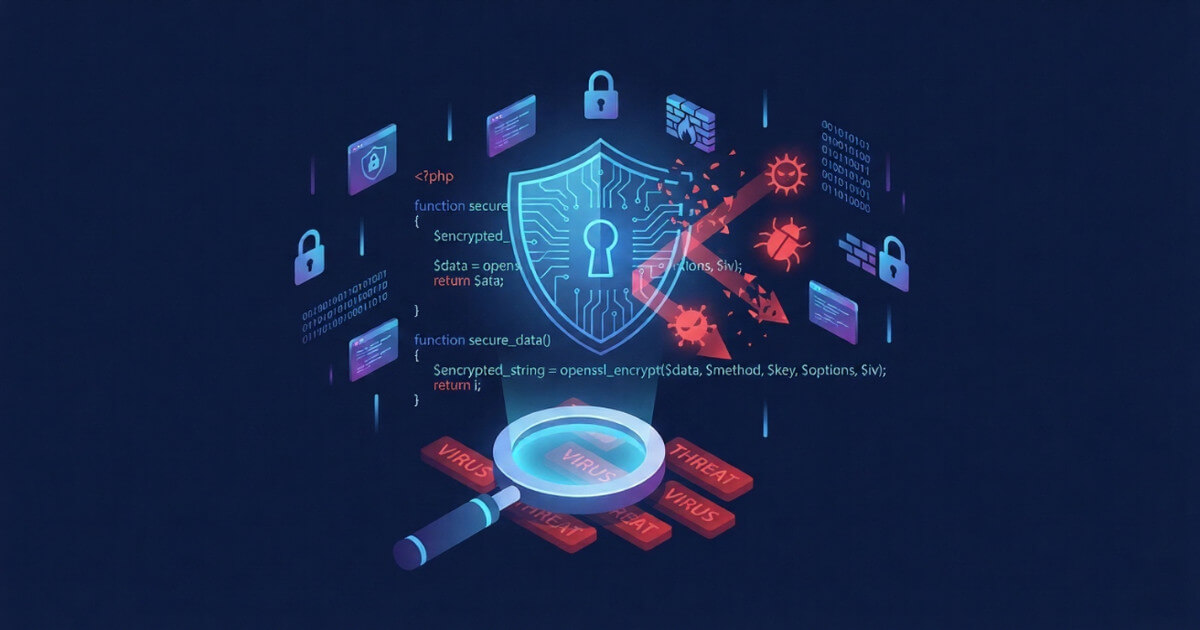
Website security is no longer optional. Every day, thousands of websites fall victim to malware attacks, with PHP-based sites being prime targets. Whether you run a WordPress blog, a custom PHP application, or an e-commerce store, knowing how to scan your files for malware is an essential skill.
In this guide, we'll walk you through everything you need to know about detecting malicious code in PHP files using our free PHP Malware Scanner tool.
What is PHP Malware?
PHP malware refers to malicious code hidden within PHP files that can harm your website or its visitors. These threats come in many forms:
- Web Shells: Backdoor scripts like WSO, C99, and Alfa Shell that give attackers remote access to your server
- Code Injection: Hidden scripts that inject spam links, redirect visitors, or steal data
- Cryptocurrency Miners: Scripts that secretly use your server resources to mine digital currency
- SEO Spam: Injected content that manipulates search engine rankings
- Data Stealers: Code designed to capture sensitive information like login credentials or payment details
The scary part? Most PHP malware is designed to remain hidden. Your website might be infected right now without showing any obvious symptoms.
Why Should You Scan PHP Files Regularly?
Regular malware scanning is crucial for several reasons:
- Protect Your Visitors: Infected websites can spread malware to anyone who visits them
- Maintain Search Rankings: Google blacklists infected sites, which destroys your SEO efforts
- Prevent Data Breaches: Early detection stops attackers before they can steal sensitive information
- Save Money: Cleaning a severely infected site costs far more than regular preventive scanning
- Keep Your Reputation: One security incident can permanently damage trust with your audience
How to Use the PHP Malware Scanner
Our Malware Scanner makes detecting threats simple, even if you have no technical background. Here's how to use it:
Step 1: Choose Your Scan Method
The tool offers three scanning options:
- File Upload: Upload files directly from your computer (up to 20 files at once)
- URL Scan: Enter a URL to scan remote files without downloading them first
- File Comparison: Compare two versions of a file to spot unauthorized changes
Step 2: Select Your Files
The scanner accepts these file types:
- PHP files (.php, .phtml, .php3, .php4, .php5, .phps)
- Configuration files (.htaccess, .inc)
- Web files (.html, .htm, .js, .txt)
- ZIP archives containing any of the above
Each file can be up to 50 MB in size. If you're scanning a large project, consider uploading it as a ZIP archive.
Step 3: Choose Scan Depth
Select between two scanning modes:
- Normal Scan: Quick analysis using signature matching - perfect for routine checks
- Deep Scan: Comprehensive analysis including pattern detection and behavioral analysis - use this when you suspect an infection
Step 4: Review Your Results
After the scan completes, you'll receive a detailed report containing:
- Total files scanned and scan duration
- Number of threats detected by severity level
- Specific code snippets showing exactly where problems exist
- Threat descriptions explaining what each detection means
- Remediation steps telling you how to fix each issue
Understanding Threat Severity Levels
The scanner classifies detections into four severity levels:
| Severity | What It Means | Action Required |
|---|---|---|
| Critical | Confirmed malware like web shells or active backdoors | Remove immediately - your site is compromised |
| High | Dangerous code patterns commonly used in attacks | Investigate urgently and remove if not intentional |
| Medium | Suspicious patterns that could indicate problems | Review carefully - may be legitimate but risky code |
| Low | Minor issues or potentially unsafe practices | Consider fixing when time permits |
What to Do When Malware is Found
Discovering malware can be alarming, but don't panic. Follow these steps:
1. Don't Delete Files Immediately
Before removing anything, make a backup. Some malware modifies core files, and deleting them could break your site. You need to replace infected files with clean versions, not just delete them.
2. Identify the Scope
Scan your entire website, not just the files you suspect. Malware often spreads to multiple locations. Use our tool to scan all PHP files in your installation.
3. Check File Modification Dates
Look at when infected files were last modified. This helps identify when the breach occurred and what else might have been affected during that time.
4. Clean or Replace Infected Files
For core CMS files (WordPress, Joomla, etc.), download fresh copies from official sources and replace the infected versions. For custom code, carefully remove only the malicious portions while preserving legitimate functionality.
5. Change All Passwords
After cleaning, change passwords for:
- Website admin accounts
- FTP and SFTP access
- Database users
- Hosting control panel
6. Update Everything
Outdated software is the most common infection vector. Update your CMS, themes, plugins, and PHP version to their latest releases.
7. Scan Again
After cleaning, run another scan to confirm all malware has been removed. Some infections have multiple components that reinstall each other.
Common Types of Malware the Scanner Detects
Our scanner uses over 495 detection rules to identify threats. Here are some common ones:
Web Shells
These are the most dangerous findings. Web shells like WSO, C99, r57, and Alfa Shell give attackers complete control over your server. They can upload files, execute commands, access databases, and more. If found, treat this as a critical emergency.
Base64 Encoded Payloads
Attackers often encode malicious code in Base64 to hide it from basic scans. Our tool decodes and analyzes these hidden payloads to reveal their true purpose.
Obfuscated Code
Malware authors use various techniques to make their code unreadable - variable substitution, string concatenation, and character encoding. The scanner recognizes these obfuscation patterns even when the underlying code is scrambled.
Eval() and Similar Functions
Functions like eval(), assert(), and create_function() can execute arbitrary code. While sometimes used legitimately, they're commonly exploited by attackers. The scanner flags suspicious uses of these functions.
Hidden iFrames and Redirects
Some malware injects invisible iFrames or redirect scripts that send your visitors to malicious sites. These often target advertising fraud or malware distribution.
Best Practices for Ongoing Security
Prevention is always better than cure. Follow these practices to minimize infection risk:
Before Installing Themes or Plugins
- Only download from official sources or reputable marketplaces
- Scan all files before uploading to your server
- Check reviews and update history
- Avoid "nulled" or pirated premium themes - they almost always contain malware
Regular Maintenance
- Scan your website files at least monthly
- Keep all software updated
- Remove unused themes, plugins, and user accounts
- Use strong, unique passwords everywhere
- Enable two-factor authentication when available
Backup Strategy
- Maintain regular automated backups
- Store backups separately from your web server
- Test backup restoration periodically
- Keep multiple backup versions (daily, weekly, monthly)
Using File Comparison to Detect Changes
One powerful feature of our scanner is the file comparison mode. This is invaluable for:
- Verifying Updates: Compare your files against official releases to ensure nothing was modified during updates
- Investigating Breaches: Compare current files with known clean backups to identify exactly what changed
- Auditing Changes: Review modifications made by developers or third parties before deploying to production
To use this feature, simply upload two versions of the same file. The scanner highlights every difference, making unauthorized modifications easy to spot.
Exporting Scan Reports
For documentation and compliance purposes, you can export scan results as JSON files. These reports include:
- Complete list of all detections
- File hashes (MD5 and SHA256) for verification
- Timestamps and scan parameters
- Detailed threat information
Keep these reports as part of your security documentation, especially if you need to demonstrate compliance with security standards.
Conclusion
Scanning your PHP files for malware doesn't require expensive software or technical expertise. With our free PHP Malware Scanner, you can detect threats in seconds and get actionable guidance on fixing them.
Remember: security is an ongoing process, not a one-time task. Make regular scanning part of your website maintenance routine, and you'll catch problems before they become disasters.
Have questions about a scan result or need help understanding a detection? Feel free to reach out through our contact page. Stay safe out there!