English
 العربية
 Bahasa Indonesia
Search results
How to Compare Indonesian Bank Exchange Rates & Get the Best Deal
Find the best currency exchange rates from BCA, Mandiri, BNI, BRI, and Bank Indonesia
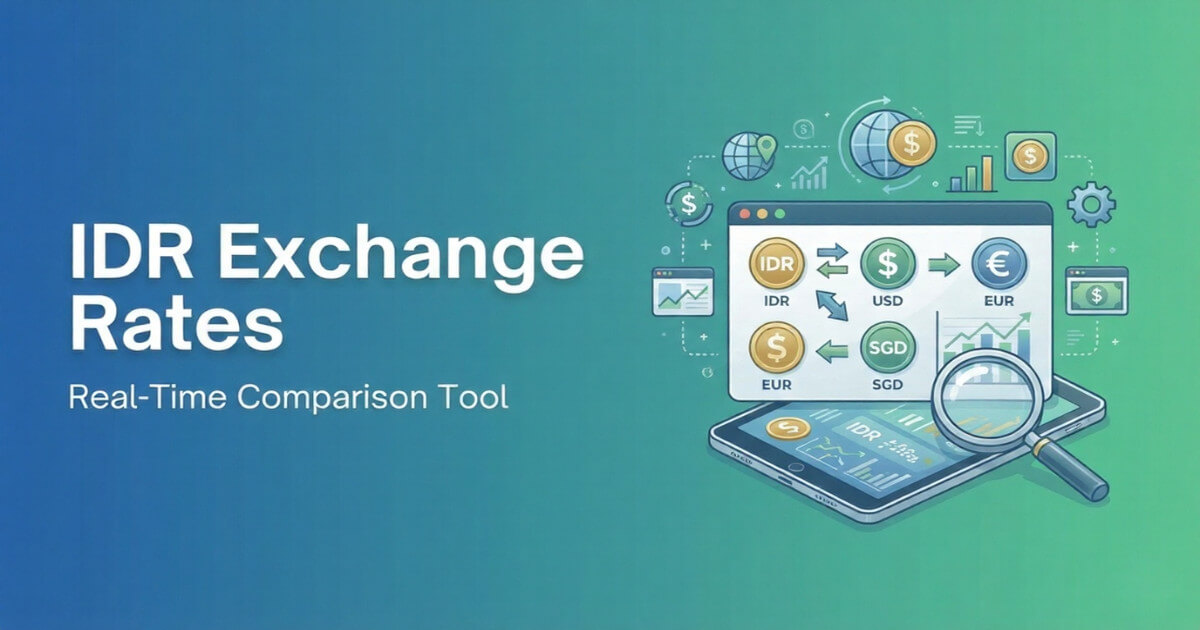
Whether you're a tourist visiting Indonesia, an expat sending money home, or a business owner dealing with international transactions, getting the best exchange rate can save you significant money. The difference between banks can be substantial – sometimes hundreds of thousands of rupiah on a single transaction.
In this guide, we'll show you how to use our free IDR Exchange Rates tool to compare rates from Indonesia's major banks and find the best deal for your currency exchange needs.
Why Exchange Rates Vary Between Banks
Before diving into the tool, it's important to understand why exchange rates differ between banks:
- Operating Costs: Each bank has different overhead costs that affect their margins
- Currency Inventory: Banks adjust rates based on their supply of foreign currency
- Competition: Banks in tourist areas may offer better rates to attract customers
- Transaction Type: Electronic transfers, wire transfers, and cash exchanges have different rates
- Market Conditions: Global forex movements affect each bank's pricing differently
This is why comparing rates before exchanging money is crucial – you could be losing money without even knowing it.
Banks Covered by Our Tool
Our IDR Exchange Rates tool aggregates real-time rates from Indonesia's five major financial institutions:
| Bank | Type | Best For |
|---|---|---|
| Bank Indonesia (BI) | Central Bank | Reference rate (Kurs Tengah BI) |
| BCA | Private Bank | Wide branch network, popular for personal banking |
| Mandiri | State-Owned | Large transactions, corporate banking |
| BNI | State-Owned | International presence, overseas Indonesians |
| BRI | State-Owned | Extensive rural network, microfinance |
Understanding Exchange Rate Types
When comparing rates, you'll notice three different rate types. Understanding these is key to getting the best deal:
1. e-Rate (Electronic Rate)
This is the rate for online and mobile banking transactions. It's typically the most favorable rate because:
- Lower processing costs for the bank
- No physical cash handling required
- Automated processing reduces overhead
Best for: Online transfers, digital payments, internet banking transactions
2. TT Counter (Telegraphic Transfer)
This rate applies to wire transfers conducted at bank branches. It's a middle-ground option:
- Used for international wire transfers
- Requires visiting a bank branch
- Processing may take 1-3 business days
Best for: Sending money abroad, receiving international payments, business transfers
3. Bank Notes (Cash Rate)
This is the rate for physical currency exchange. It's usually the least favorable because:
- Banks need to handle, store, and transport physical cash
- Security and insurance costs
- Risk of counterfeit currency
Best for: Travel money, emergency cash needs, small amounts
Buy Rate vs. Sell Rate Explained
Another crucial concept to understand:
The difference between buy and sell rates is called the "spread" – this is how banks make profit on currency exchange.
How to Use the IDR Exchange Rates Tool
Follow these simple steps to find the best exchange rate:
Step 1: Select Your Currency
Choose from 20+ supported currencies including:
- USD (US Dollar)
- EUR (Euro)
- GBP (British Pound)
- SGD (Singapore Dollar)
- AUD (Australian Dollar)
- JPY (Japanese Yen)
- MYR (Malaysian Ringgit)
- CNY (Chinese Yuan)
- And many more...
Step 2: Choose Your Banks
You can either:
- View all banks at once for easy comparison
- Filter by specific banks you prefer or have accounts with
Step 3: Enter Your Amount
Use the built-in calculator to input the amount you want to exchange. The tool will instantly show you:
- Conversion results from each bank
- The best rate highlighted with a "BEST" badge
- How much you could save compared to other banks
Step 4: Compare and Decide
Review the results and choose the bank offering the best rate for your needs. Remember to consider:
- Is the bank convenient for you to access?
- Do you already have an account there?
- Is the rate difference significant enough to justify extra effort?
Real-World Example
Let's say you want to exchange USD 1,000 to Indonesian Rupiah. Here's how the comparison might look:
| Bank | Sell Rate (IDR/USD) | You Receive (IDR) | Difference |
|---|---|---|---|
| BCA BEST | 15,850 | 15,850,000 | - |
| Mandiri | 15,825 | 15,825,000 | -25,000 |
| BNI | 15,800 | 15,800,000 | -50,000 |
| BRI | 15,780 | 15,780,000 | -70,000 |
In this example, choosing BCA over BRI would save you IDR 70,000 on a single USD 1,000 exchange. Imagine the savings on larger amounts!
Tips for Getting the Best Exchange Rates
1. Always Compare Before Exchanging
Never assume one bank always has the best rate. Rates change throughout the day based on market conditions.
2. Use e-Rate When Possible
If you can do your transaction online, you'll typically get better rates than at the counter.
3. Avoid Airport Money Changers
Airport exchange counters typically offer the worst rates. If possible, exchange only a small amount for immediate needs and do the bulk later.
4. Consider the Full Cost
Some banks charge additional fees for currency exchange. Factor these into your comparison.
5. Time Your Exchange
Exchange rates fluctuate throughout the day. For large amounts, monitor rates over a few days if you can wait.
6. Check Bank Indonesia's Reference Rate
The BI middle rate (Kurs Tengah) is the official reference. Compare commercial rates against this to gauge how competitive they are.
When to Use This Tool
Our IDR Exchange Rates tool is perfect for:
- Tourists: Planning a trip to Indonesia and want to maximize your travel budget
- Expats: Regularly sending money home or receiving funds from abroad
- Business Owners: Managing international payments and supplier costs
- Freelancers: Receiving payments in foreign currency from overseas clients
- Students: Managing tuition payments or living expenses abroad
- Investors: Monitoring currency movements for investment decisions
Supported Currencies
Our tool supports all major world currencies including:
- USD - US Dollar
- EUR - Euro
- GBP - British Pound
- JPY - Japanese Yen
- AUD - Australian Dollar
- SGD - Singapore Dollar
- HKD - Hong Kong Dollar
- MYR - Malaysian Ringgit
- THB - Thai Baht
- CNY - Chinese Yuan
- KRW - Korean Won
- SAR - Saudi Riyal
- AED - UAE Dirham
- CHF - Swiss Franc
- CAD - Canadian Dollar
- NZD - New Zealand Dollar
- SEK - Swedish Krona
- DKK - Danish Krone
- NOK - Norwegian Krone
- PHP - Philippine Peso
- And more...
Conclusion
Currency exchange doesn't have to be a guessing game. With our free IDR Exchange Rates tool, you can compare real-time rates from Indonesia's major banks in seconds and make informed decisions that save you money.
Remember: even small differences in exchange rates add up over time. A few minutes of comparison could save you hundreds of thousands of rupiah – money better spent enjoying your trip, growing your business, or supporting your family.